Event Start Date : 24-Jul-2026 09:30 AM
Event End Date : 25-Jul-2026 05:00 PM
Event Cut Off Date : 23-Jul-2026 06:00 PM
Event Time : 09:30 AM To 05:00 PM
Event Venue : ICAI Bhawan, Bibwewadi, Pune
Event Fee : ₹3540
The event has been postponed. Updated dates will be published on our website soon.
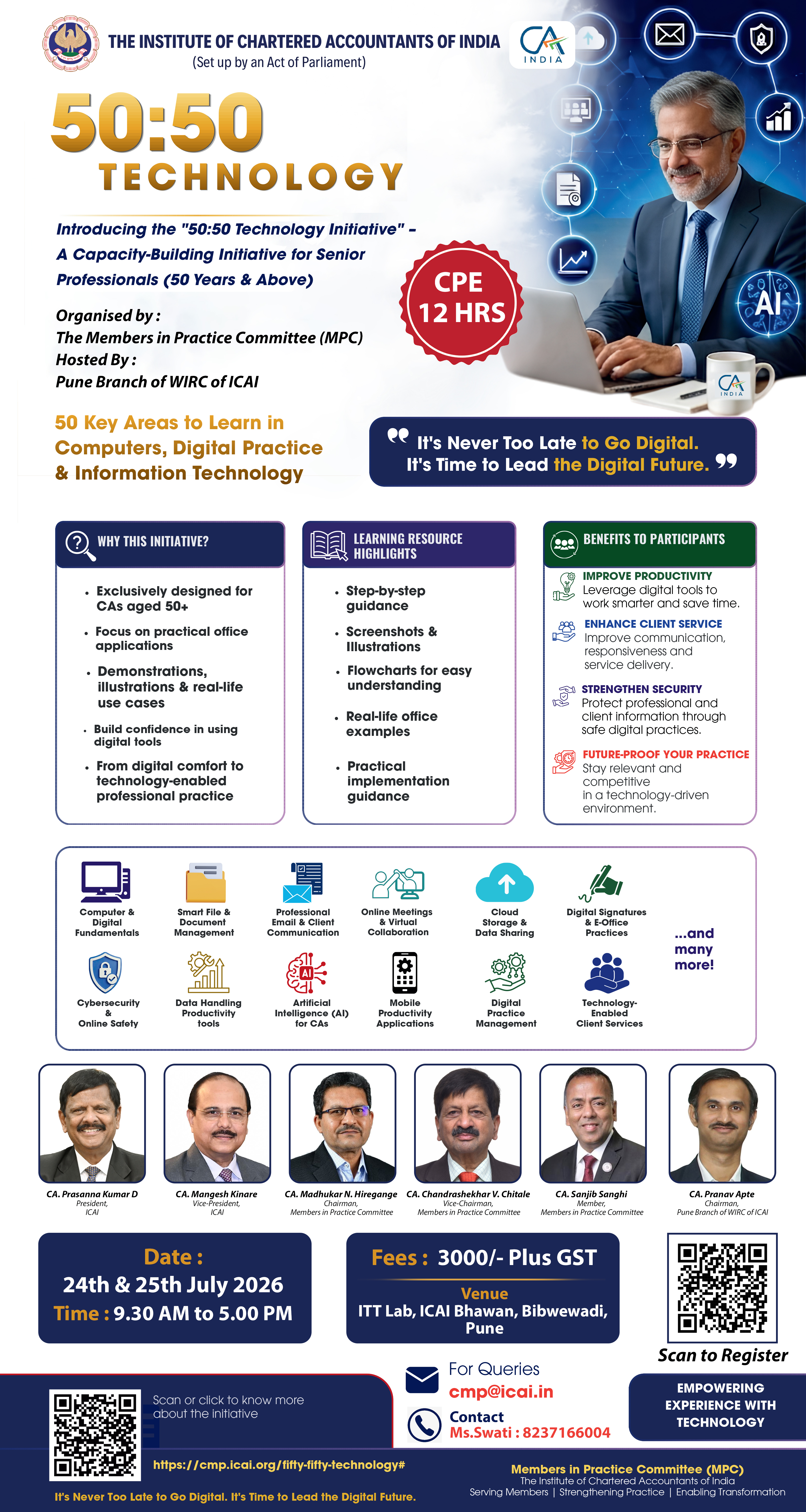
Organised by : The Members in Practice Committee (MPC)
Hosted By : Pune Branch of WIRC of ICAI
FEES : 3000/- Plus GST
CPE : 12 HRS
The learning areas have been structured into broad themes covering:
Digital Foundations & Everyday Technology
Computer basics, file management, internet usage, browser tools, smart search techniques, email handling, calendar management, WhatsApp Web, video meetings and cloud storage.
AI, Automation & Future-Ready CA Practice
AI-assisted drafting, research tools, OCR, document digitisation, workflow automation, voice typing, practice management software, CRM, data analytics and future technologies impacting the profession.
Cybersecurity, Safety & Digital Risk Management
Password protocols, multi-factor authentication, phishing prevention, secure backups, DPDP awareness, malware prevention, safe online transactions, digital reputation management, UDIN, digital payment systems and secure online client document collection.
Office Productivity for CA Practice
MS Word, Excel, PowerPoint, PDF tools, digital signatures, templates, collaborative review, dashboards, e-office workflows and professional presentation tools.
Two Day Programme Structure of the 50:50 Technology for Senior CA Professionals (2026 Edition)
This contemporary programme is specially designed for senior Chartered Accountant professionals to strengthen confidence in modern digital tools for practice management, client servicing, regulatory compliance, communication, cybersecurity, and AI-assisted productivity.
| Modules | Hours |
| Day 1 | |
| Module 1: Digital Foundations & Everyday Technology | 3 Hours |
| 1. Understanding modern computers, laptops, tablets, and smartphones | |
| 2. Managing files, folders, desktop, and downloads | |
| 3. Using internet browsers effectively and safely | |
| 4. Smart Google search techniques for professional research | |
| 5. Using AI tools for professional assistance and drafting | |
| 6. Managing email through Gmail and Outlook | |
| 7. Calendar, reminders, and task scheduling | |
| 8. WhatsApp Web and Telegram | |
| 9. Video meetings through Zoom, Microsoft Teams, and Google Meet | |
| Module 2: AI, Automation & Future-Ready CA Practice | 3 Hours |
| 10. AI-assisted drafting of emails, minutes, and proposals | |
| 11. Using AI for research and case summaries | |
| 12. Automation of repetitive office workflows | |
| 13. OCR and document digitisation | |
| 14. Voice typing and speech-to-text tools | |
| 15. Practice management software | |
| 16. CRM basics for relationship management | |
| 17. Data analytics basics for decision-making | |
| 18. Building a paperless and green CA office | |
| 19. Future technologies shaping CA practice | |
| 20. Cloud storage using Google Drive, OneDrive, and Dropbox | |
| Day 2 | |
| Module 3: Cybersecurity, Safety, & Digital Risk Management | 3 Hours |
| 21. Password management and multi-factor authentication | |
| 22. Identifying phishing emails and fraud messages | |
| 23. Cybersecurity for CA firms and client data protection | |
| 24. Safe use of public Wi-Fi and remote working | |
| 25. Secure backup systems and disaster recovery basics | |
| 26. DPDP awareness and confidential information handling | |
| 27. Safe online transactions and UPI precautions | |
| 28. Device updates, antivirus, and malware prevention | |
| 29. Mobile security for senior professionals | |
| 30. Social media professionalism and digital reputation | |
| 31. UDIN generation and management | |
| 32. Digital payment systems and secure banking | |
| 33. Secure online client document collection | |
| 34. Biometric Authentication | |
| Module 4: Office Productivity for CA Practice | 3 Hours |
| 35. Drafting professional letters and reports in MS Word (online or offline) | |
| 36. Formatting, templates, and standard office documentation | |
| 37. Track changes, comments, and collaborative review (online or offline) | |
| 38. PDF creation, editing, merging, and e-sharing | |
| 39. Digital signatures, DSC utilities, and e-signing workflows | |
| 40. Practical Excel for CA offices, Google spread sheets | |
| 41. Advanced Excel (limited aspects) for reconciliations and MIS | |
| 42. Charts, dashboards, and client presentation visuals | |
| 43. PowerPoint for seminars and client meetings | |
| 44. Using note-taking and annotation tools | |
| 45. E-office workflows & Paperless approvals | |
| 46. Confidential Information Handling | |
| 47. Communication Etiquettes & Safeguards | |
| 48. E learning Platforms (LMS) | |
| 49. You Tube for learning & Creation of channel | |
| 50. Linkedin for Professional Networking | |